How to Redeem Stay the Night Codes
Find the codes panel, paste safely, and turn freebies into coziness before night.
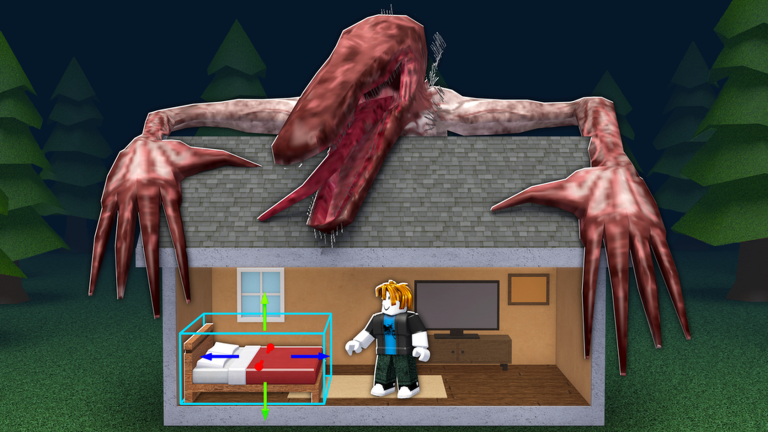
Redeeming Stay the Night codes is straightforward once you know where the in-game panel lives. This walkthrough covers the usual Roblox promo flow for Piroomuyo experiences, what to do when a code fails, and how to turn free rewards into safer nights.
Step-by-step redemption
- Launch Stay the Night from Roblox on desktop, mobile, or console.
- Finish or skip past the short intro until you can move around your house or the lobby UI.
- Look for a Codes, Rewards, Gift, or Shop button on the left or top of the HUD. New survival titles often hide redemption behind a ticket or gift icon.
- Open the panel and find the text field labeled Code, Promo, or Redeem.
- Paste a code from our codes hub exactly as shown — no spaces before or after.
- Confirm with Redeem / Submit. A success toast should credit cash, items, or boosts to your account.
If the UI layout changes after a patch, re-check this page and the updates hub for revised button names.
Troubleshooting failed codes
- Already redeemed — each code usually works once per account.
- Expired — milestone codes vanish quickly; grab them the day they drop.
- Wrong game — Survive The Night TD codes will never work here.
- Typo — prefer copy-paste over typing.
- Tutorial lock — some places require finishing the first day loop before the codes button unlocks. Complete one supermarket trip and return home, then try again.
- Server desync — rejoin the experience and redeem from a fresh server.
Spending rewards wisely
Free cash should accelerate coziness, not vanity alone. Buy furniture ranked high on the furniture tier list, place it where survivors path through the house, then bank rent from the survivors guide. Upgrade outdoor safety (fence, lighting paths to the door) before dumping everything into cosmetics.
Pair redemption day with a disciplined haul: supermarket → home → place items → check coziness → watch the sky. The Beast survival guide explains how late shopping trips get players killed.
Mobile vs desktop
On mobile, the codes button can sit behind a collapsed menu. Rotate to landscape if the HUD clips, and tap the gift icon twice if the first tap only opens settings. Console players may need to highlight the sidebar with the D-pad before the text keyboard appears.
After you redeem
- Confirm the reward in your inventory or cash counter.
- Plan one more furniture run using furniture and coziness.
- House any newly unlocked survivors from the players hub.
- Be indoors before night — codes do not pause the Beast.
Official codes never ask for your password, Robux, or account age outside Roblox’s normal login. Ignore anyone offering “private Stay the Night codes” in exchange for limited items. When in doubt, cross-check the codes hub and skip suspicious links.
Example afternoon plan after redeeming
Redeem at lunchtime Roblox sessions, not at dusk. Buy two mid-tier coziness pieces from the furniture tier list, place them, invite any new survivor options, then take one short supermarket loop with a hard return alarm. That sequence converts a code into lasting rent instead of a single panic purchase. If the code grants cosmetics only, enjoy them — then return to cash grinding with survivors and rent so the Beast still meets a prepared house.
Practice the redeem flow once on a quiet morning before a hyped code drop. Muscle memory beats panic typing while seven players shout in chat. After a successful claim, spend on high-coziness furniture from the furniture tier list and confirm placement indoors before nightfall.
If redemption fails three times in a row, stop and compare the string against this page character by character. Brute-forcing guesses never unlocks Piroomuyo gifts and only burns your session patience.
Practice before hype drops
Run the redeem flow once on a quiet morning. Muscle memory beats panic typing in a full lobby. Spend successful claims on high-coziness pieces from the furniture tier list and place them indoors before nightfall.
If redemption fails three times, stop and compare the string character by character. Guessing never unlocks Piroomuyo gifts — it only burns patience you need for the supermarket sprint.
Spending order after a successful code
- Confirm the reward type in your inventory or currency UI.
- Buy mid-size high-coziness furniture first if cash was granted.
- Place items indoors before another supermarket run.
- Recollect rent the next morning and note whether the gift shortened your unlock timeline.
That order beats panic cosmetic spending. Cross-check the furniture tier list and return here whenever the redeem HUD labels change after a Piroomuyo patch listed on updates.
Frequently Asked Questions
Quick answers for Stay the Night on Roblox.
I cannot find the codes button.
Finish the intro, expand the left HUD, and look for Gift/Rewards. After patches, check updates.
Can I redeem on mobile?
Yes. Use landscape mode if the sidebar is clipped, then paste from the clipboard.
Do codes work in private servers?
If VIP servers become available, redemption usually still ties to your account; try a public server if a code fails.